
Run every job from first call to paid.
For restoration and field-service companies: scheduling, jobs with photos and sign-off, estimates, invoices with online payment and a customer portal, on the phones and tablets your crew already carries.
In production at Gregg's Restoration Solutions in New Jersey. The demo uses a sample company, Harbor Point Restoration. Enter your name, company and email and you're in right away. Emails, payments and calendar sync in the demo are simulated.
What your crew and your customers see
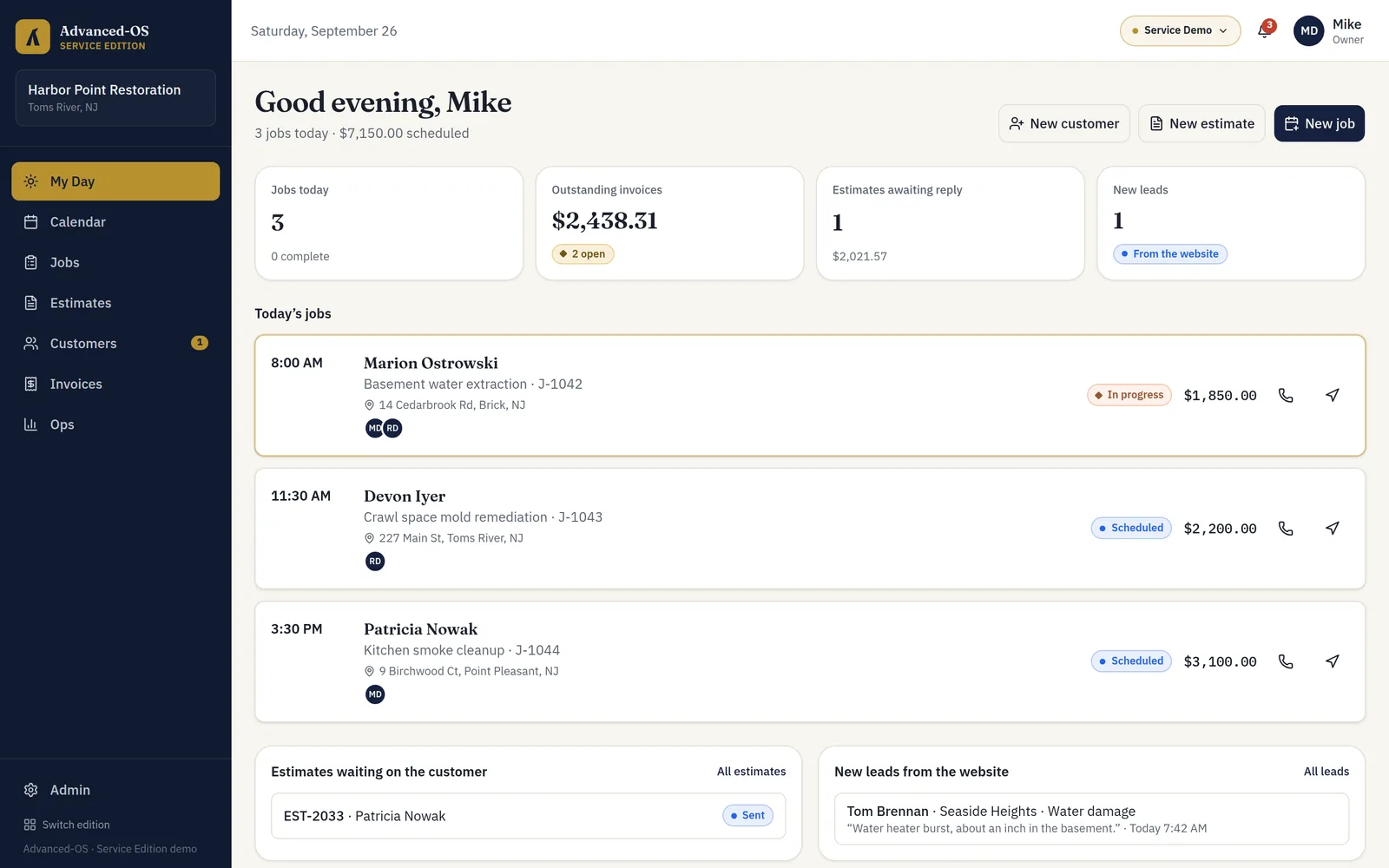
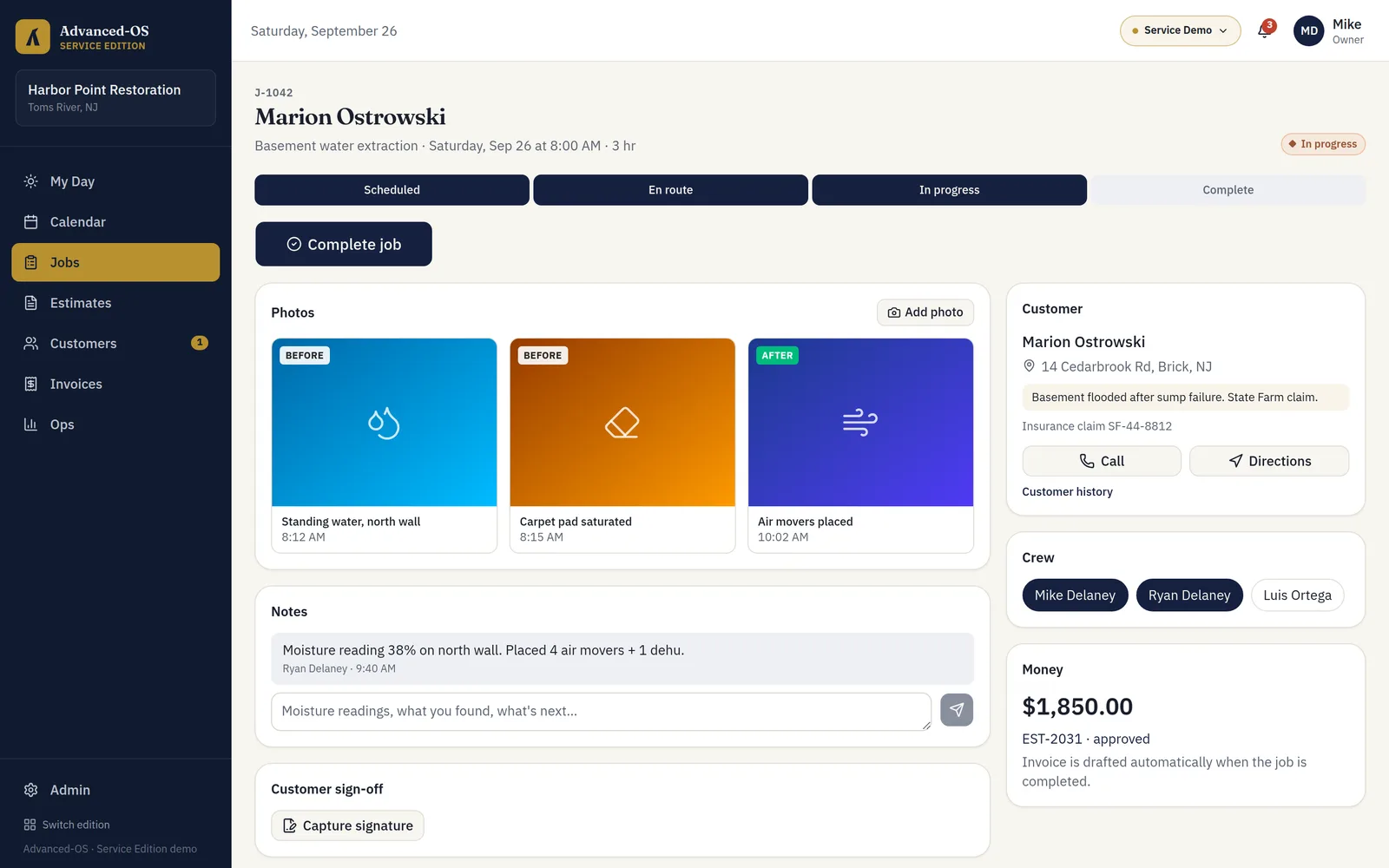
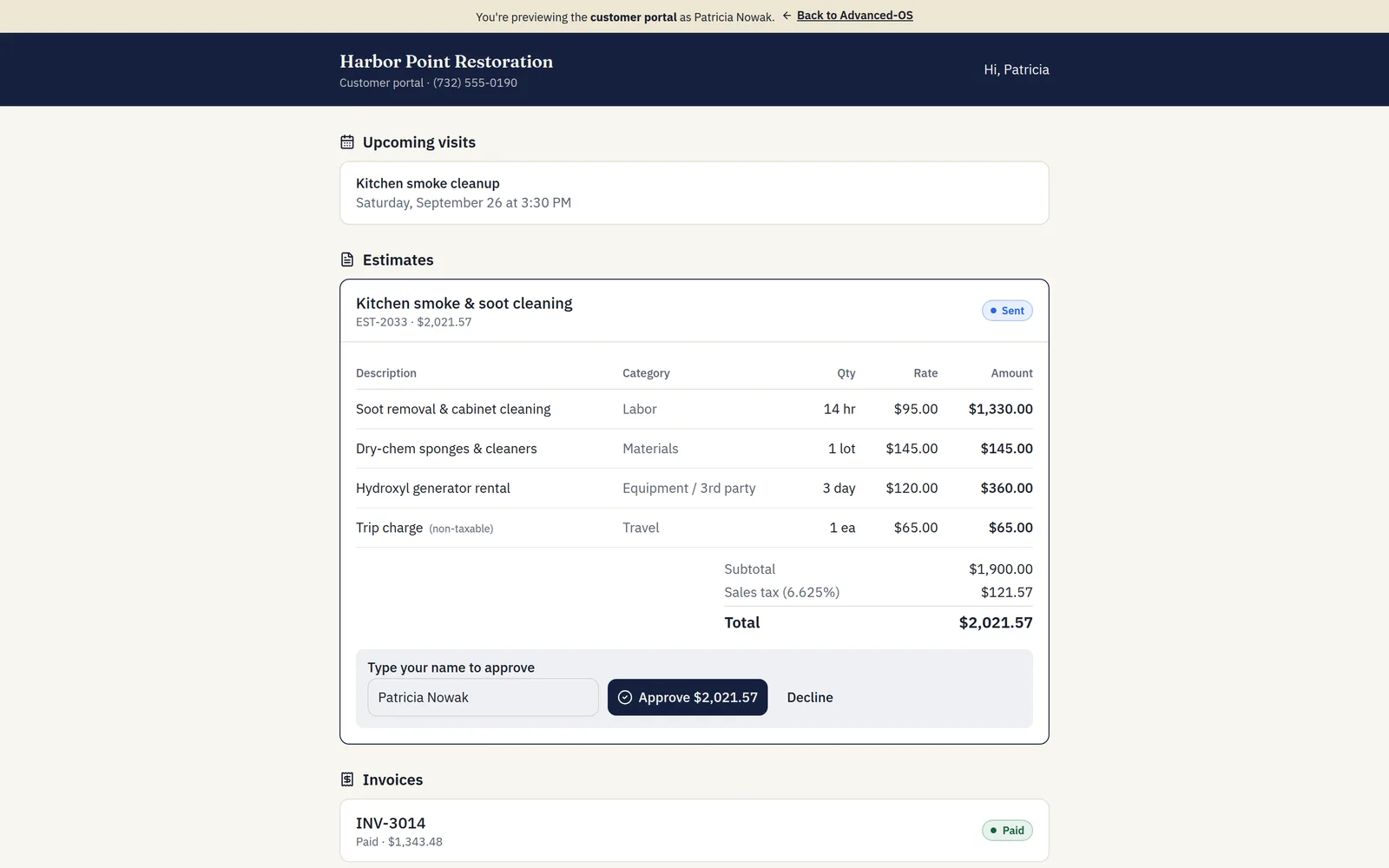
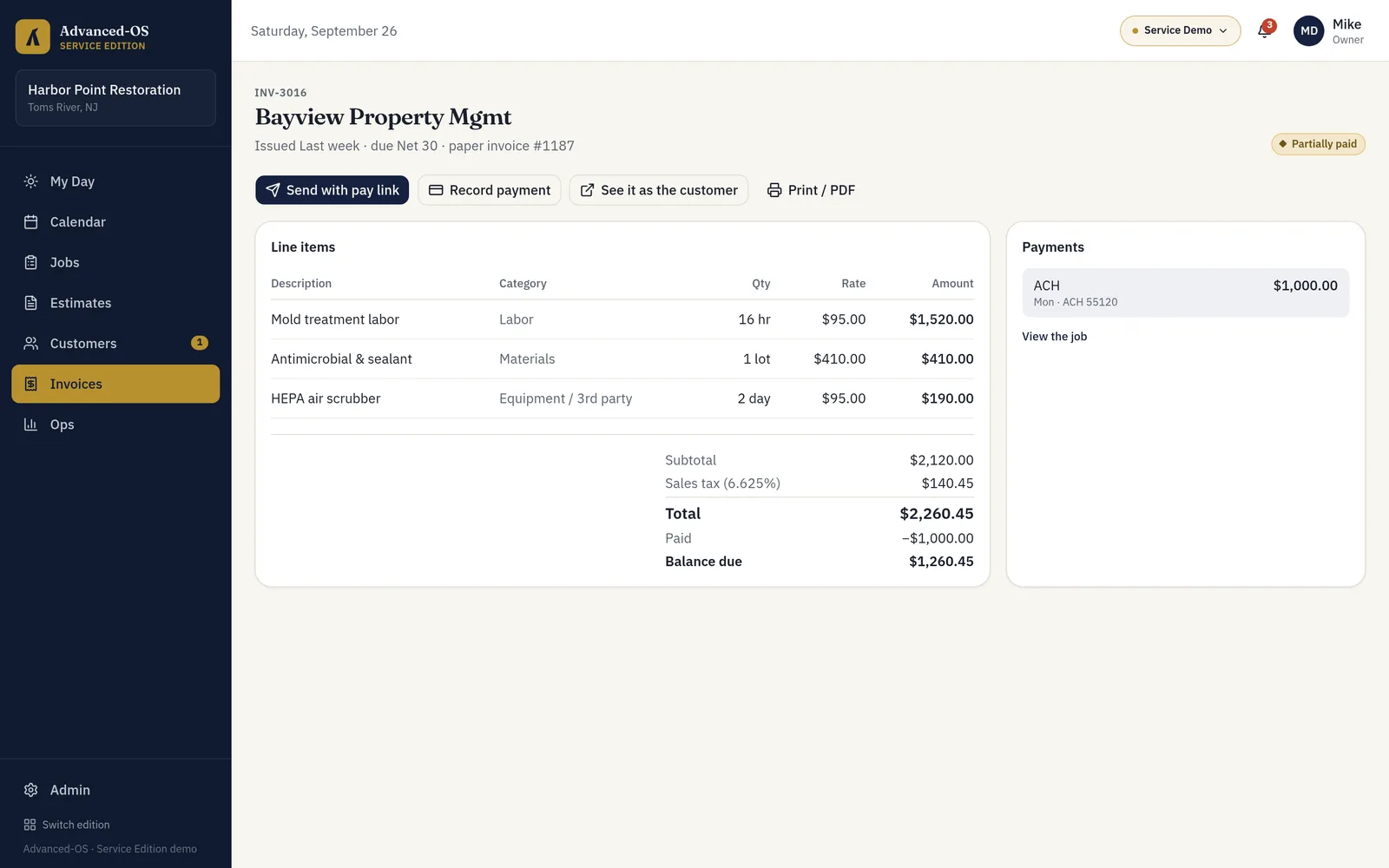
Screens from the live demo, running on a sample restoration company.
Gregg's Restoration Solutions runs on it
Gregg's Restoration Solutions, a New Jersey restoration company, runs the business day to day on the Service Edition: the crew's schedule synced to Outlook, jobs with photos and customer sign-off, estimates and invoices, card payments through Stripe, a customer portal, and a quote form on their website that drops new leads straight into the system.
- Owner and field-technician roles, with prices and invoices kept to the owner
- Booking confirmations and invoices emailed from the company's own domain
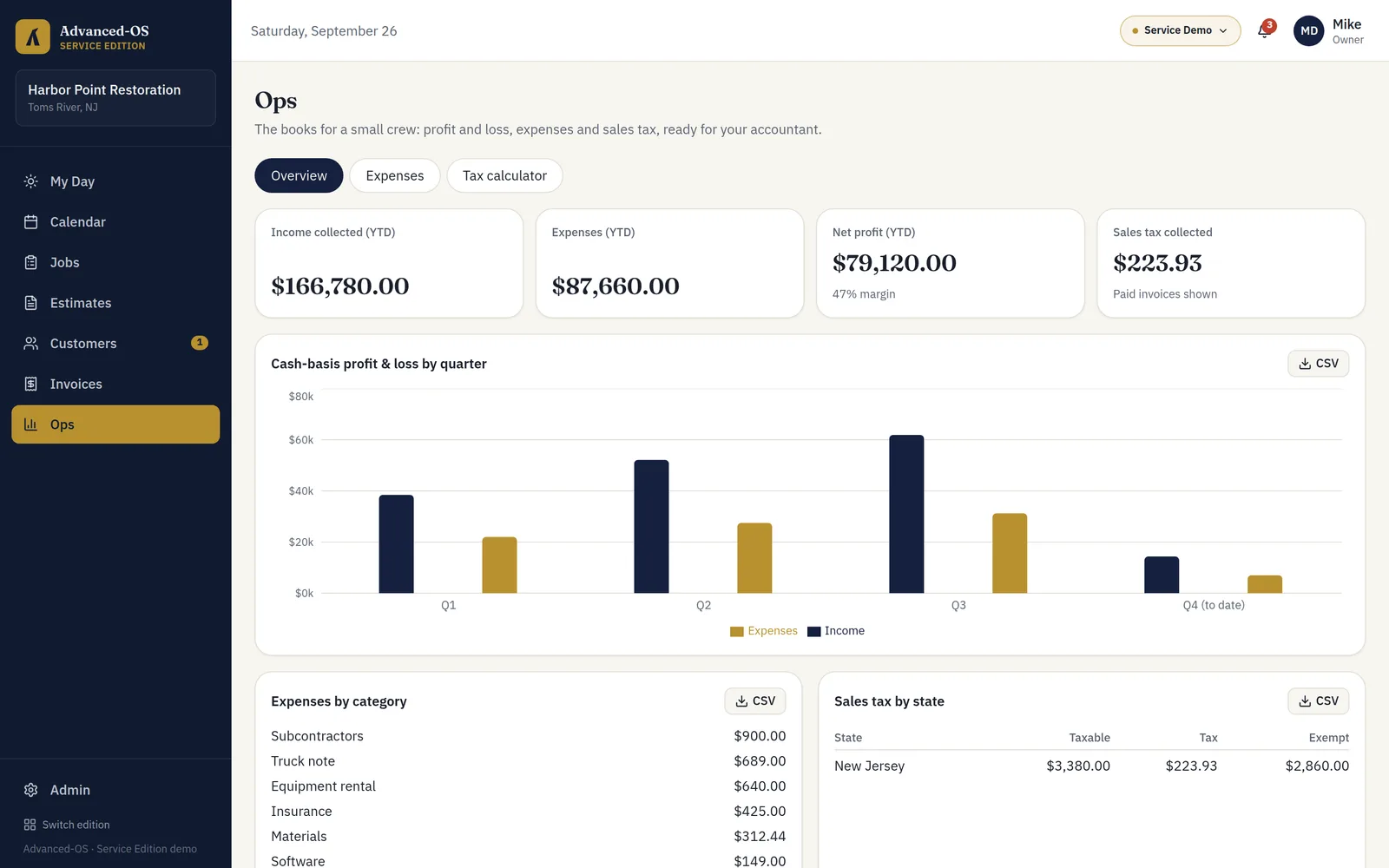
- Expenses, profit and loss and sales tax ready for the accountant
Built around how restoration crews work
- 01
Jobs live in texts, a paper calendar and someone's memory.
One schedule the whole crew sees, synced to Outlook on their phones.
- 02
Double-booked crews and long drives between jobs.
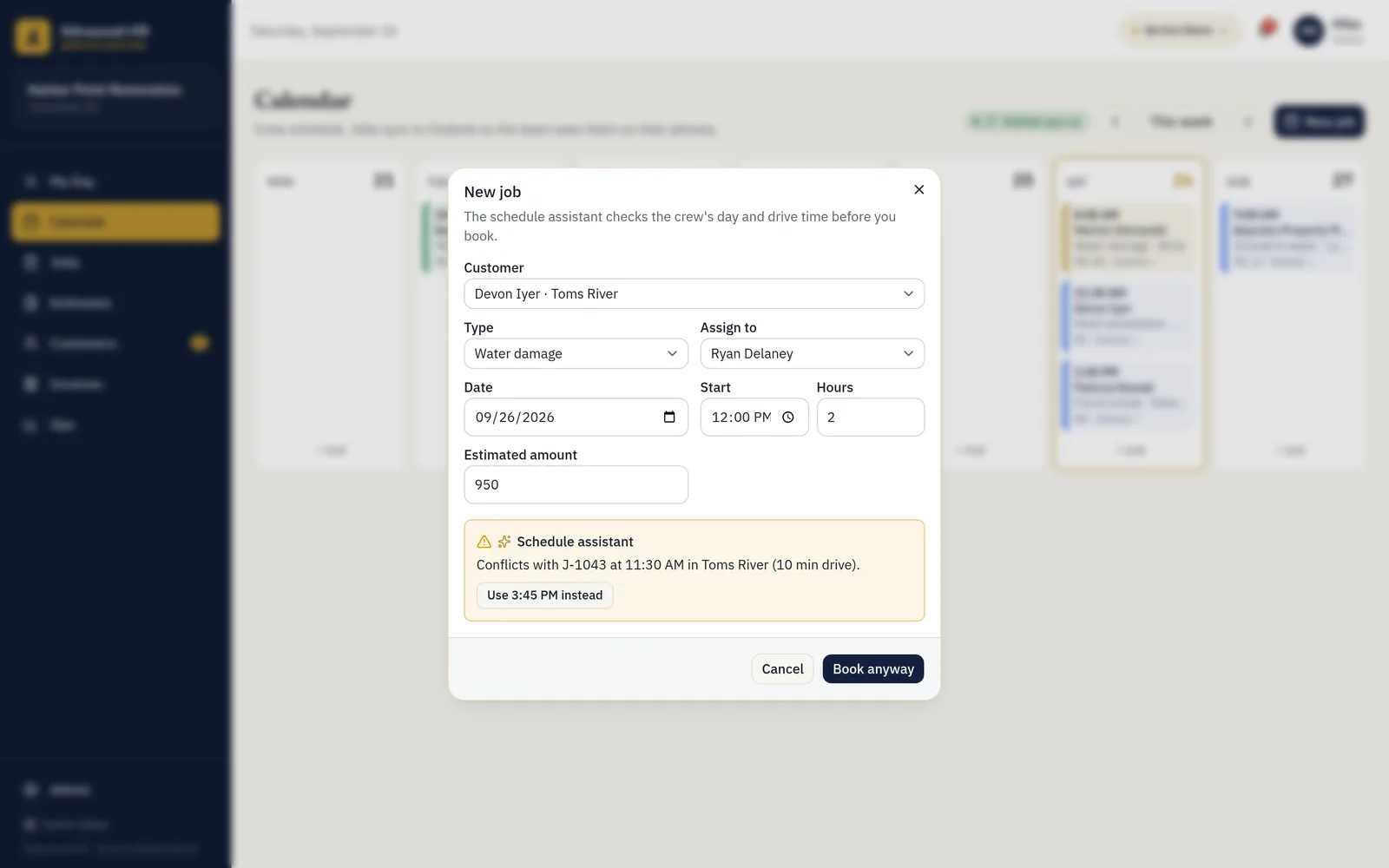
A schedule assistant that checks the crew's day and drive time before you book.
- 03
Before and after photos are scattered across phones.
Photos, notes and the customer's signature saved on the job.
- 04
Estimates and invoices are rebuilt by hand in Word.
Line items, sales tax by state and one-click conversion from approved estimate to invoice.
- 05
Chasing checks and "I'll pay you Friday."
Invoices with a pay link, a customer portal, and partial payments tracked to the penny.
- 06
Tax time means a shoebox of receipts.
Expenses, profit and loss and sales tax by state, exported for your accountant.
Four things to do in the demo
- 01
Run a job
Open today's water job, add a photo, capture the homeowner's signature and complete it. The invoice drafts itself from the approved estimate.
- 02
Approve as the customer
Open an estimate in the customer portal and approve it. The owner gets notified.
- 03
Get paid online
Pay an invoice from the portal with the test card and watch it flip to Paid.
- 04
Book with the assistant
Try to double-book a technician and let the schedule assistant find the slot that fits.
Everyone sees what they need, and only that
Owner
Everything: schedule, jobs, estimates, invoices, payments and the books.
Field technicians
Their jobs, customers, photos, notes and sign-off. No prices, invoices or financials.
Customers
A portal to approve estimates, see upcoming visits and pay invoices online.
See it with your own jobs in mind.
Open the demo now, or tell us how your crew runs and we will walk you through it.